
The CRM we built for our own sales team. We build yours.
People who pick up the phone, people who drive out to meet clients, proposals that go out and get signed. It all fits in one tool, and the tool knows the job: it knows that an appointment in Sion does not follow straight on from an appointment in Geneva. We use it every day at Tekio.
What breaks in a sales team running a generic CRM?
A generic CRM can store records, but it knows nothing about selling: it does not know there is a road between two appointments, it does nothing with your call recordings, and it loses what the person who picked up had understood. Three failures come up everywhere.
The appointment nobody can keep
A first appointment at 2 p.m. in Geneva, a second at 3:30 p.m. in Sion. On an ordinary calendar both slots are green and nothing stops you booking. On the road, an hour and a half is missing. The rep shows up late, or cancels the day before, and the attendance rate of the whole team drops.
The call nobody reopens
The recording exists somewhere, in a tab nobody opens. The debrief happens from memory, a week later, about a conversation nobody remembers precisely anymore. The result: the same mistake repeats call after call before anyone names it.
What the person who picked up knew
The person who had the prospect on the phone is almost never the one who will go and see them. In between there is a note in a notebook, a voice message, or nothing at all. The appointment starts again from zero, questions already asked get asked again, and the prospect can tell.
What does a day inside this CRM look like?
A sales day runs in five stages: the morning call queue, the conversation, the appointment booked with whoever will attend it, the drive between two appointments, and the proposal signed late in the afternoon. Each one happens in the same tool, with nothing typed twice.
- 08:30To handle
The queue
The records to call arrive sorted, the best time slot to call is already worked out.
- 09:12Calls & feedback
The call
The sales record opens while it is ringing, the outcome is picked in one gesture.
- 09:26Calendar
The appointment
Booked in the calendar of whoever will attend, with what they need to know.
- 14:40Drive-time buffer
The drive
The CRM knows the distance and refuses the time slot that cannot be kept.
- 17:05Proposals
The signature
The proposal goes out, it gets signed on screen, it is frozen.
What does this CRM do that a calendar and a spreadsheet do not?
Three mechanisms make the difference: it counts the drive between two appointments and refuses what cannot be kept, it makes every call replayable and scored, and it turns a conversation into a priced proposal and then a signed one. Each one has its own page.
Appointments, drive time and buffers
The car drive time between the previous appointment and the one you want to book, plus fifteen minutes to arrive, rounded to the half hour. That buffer sits before and after, and it refuses the time slot that cannot be kept.
Calls, scoring and feedback
The conversations actually held, replayable, with a percentage score computed on seven weighted axes and comments placed to the second, categorized and weighted.
Lead record, quote and signed proposal
What you know about the prospect before picking up the phone, the guided discovery that fills in the quote, live pricing during the call, then the proposal sent and signed on a private page.
How does the CRM refuse an appointment that cannot be kept?
The CRM asks Google for the car drive time between the previous appointment and the address in question, adds fifteen minutes to arrive, rounds up to the half hour, and places that buffer before and after. A time slot that falls inside it is refused, with the figure to back it up. Pick a destination and try to book an appointment too early.
The grid that refuses an appointment you cannot keep
An appointment is already booked. Choose where the next one is held, then click a time slot: the drive becomes a buffer, before and after.
Where is the next appointment held?
Four car trips measured in real conditions on August 23, 2026.
Arrow keys: day and time. Enter: keep the time slot.
- free
- CRM appointment
- overlaps the requested duration
- drive-time buffer
- outside hours or past
This time slot does not hold.
Drive time: 39 min of driving + 15 min to arrive, from "ZenFit Studio appointment"
Buffer placed from 11:00 to 12:00, that is 1 h before and 1 h after the appointment.
What the CRM works out : The drive time becomes a buffer, placed before AND after the appointment that already exists. A time slot that bites into it is refused, with the figure that justifies it.
39 min of driving + 15 min to arrive, rounded to the half hour = 1 h blocked on each side.
(39 + 15) ÷ 30 = 1,8, rounded up to 2, then 2 × 30 = 60 min
Durations measured by car by the Google Routes API, traffic excluded. The calculation runs entirely on the server, and only when the appointment booking window is opened.
The 15 min to arrive and the rounding to 30 min are fixed in the product.
The four durations offered are real measurements taken by the Google API on August 23, 2026, not estimates.
How does the tool adapt to the roles in a sales team?
Each role has its own landing screen and sees only what concerns it: the person who picks up has a call queue, the person who drives out has a calendar with addresses, the manager has the conversion funnels, and the client does not even need an account.
The person who picks up
A queue of records already sorted, the sales record opening while it is ringing, the call outcome in one gesture, and the next call starting without going back to the list. They book the appointment in someone else's calendar and stay credited with having brought it in.
The person who drives out
A calendar in their own hours and their own time zone, with the address, the person to meet, their number, and what the colleague noted from the first call. After the appointment, they say what happened: closed, to follow up, or no further action.
The manager
Work per person, the funnel per rep with the call to appointment, appointment to quote and quote to signature rates, and a view of who really opens their call feedback. A view, with no button to act in people's place.
The client, at the end
They receive a branded email with a private link. They open their proposal, read it, ask for a change if they want one, or sign it on screen. There is no account to create and no password to remember.
Is what you see the real product?
Yes. The screenshots on this page come from the Tekio CRM launched in demo mode, with a fictional data set. These are the screens our sales team opens every morning, not mockups drawn to sell.
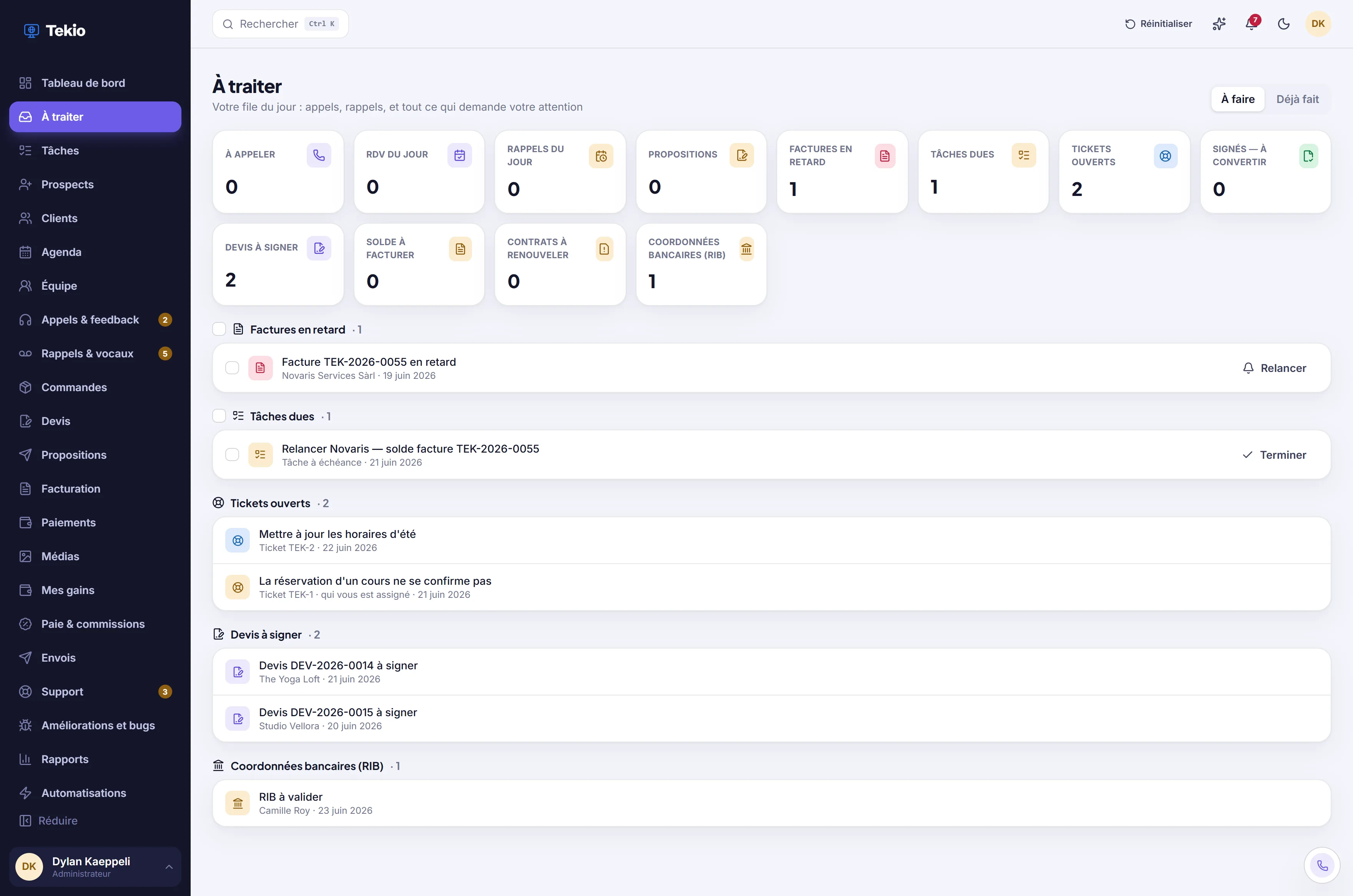
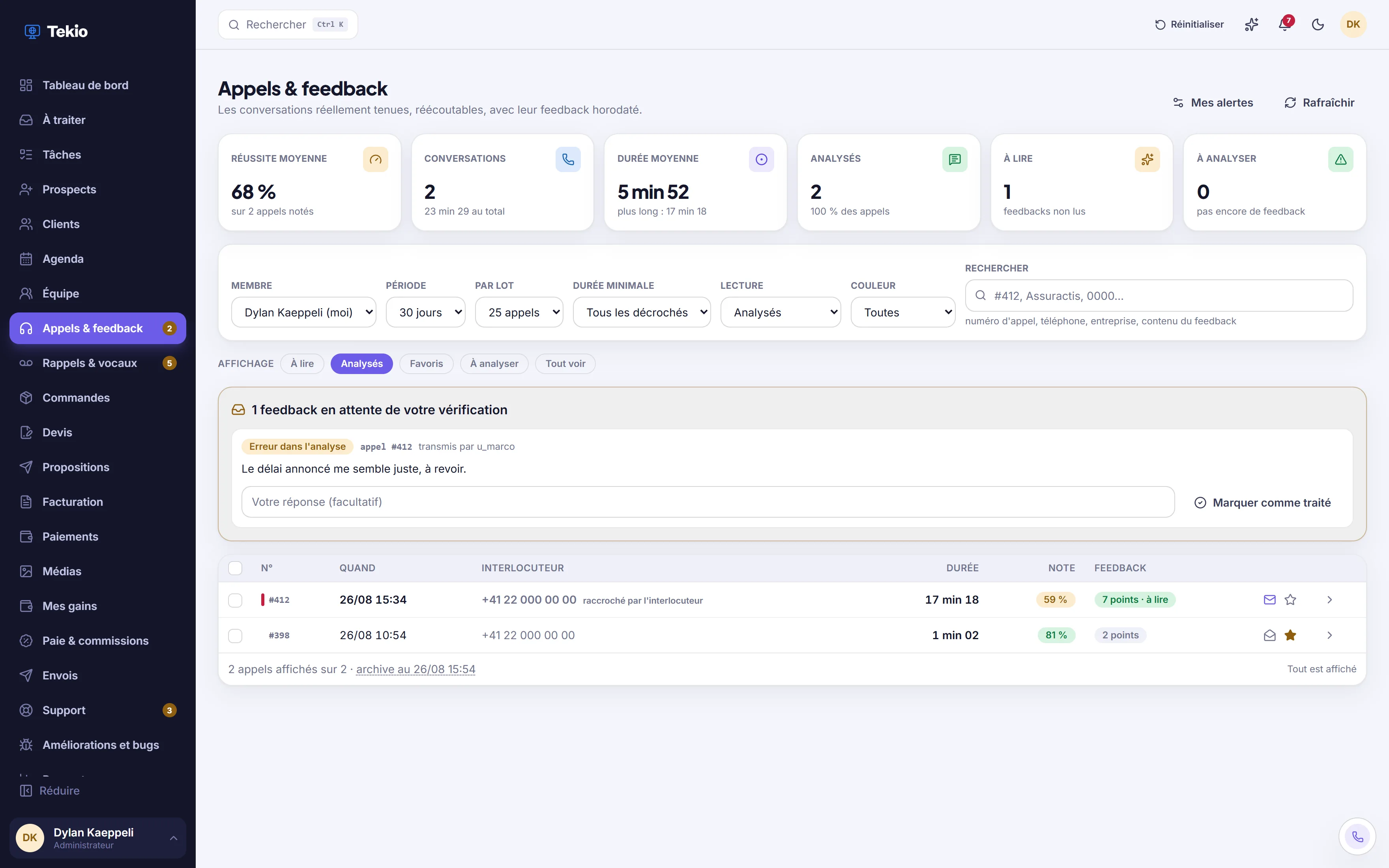
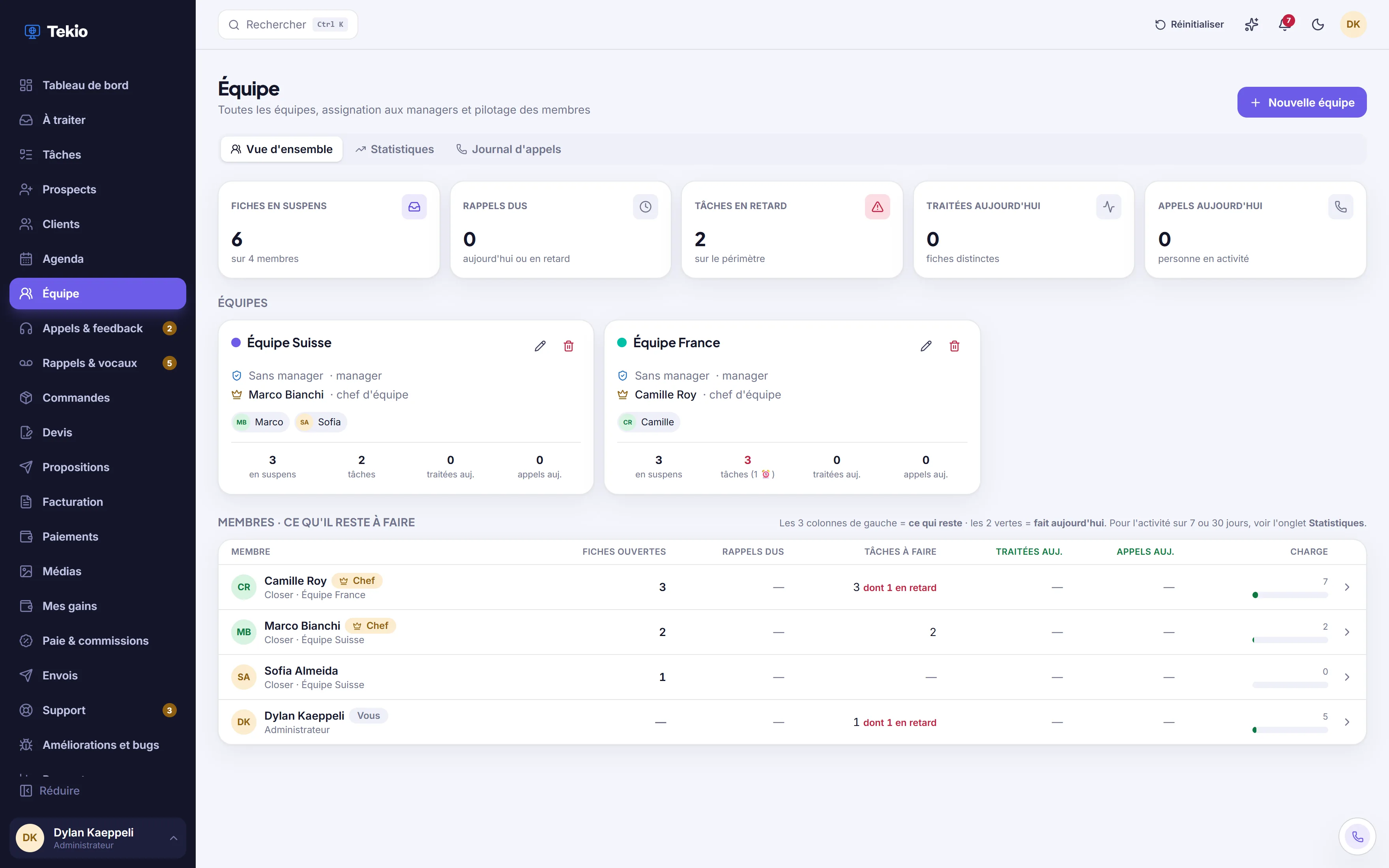
Screenshots of the Tekio CRM in demo mode, fictional data.
How is this CRM rolled out in an existing team?
The rollout runs in four steps: half a day listening to how your team sells today, a mockup approved before the first line of code, the build with your telephony connected, then go-live with the first calls supported.
We watch how you sell
Half a day with your reps, not with management alone. Who picks up, who drives out, who prices, who follows up, and where information gets lost today. That map dictates the tool, not the other way around.
We show you the screens before we code
The call queue, the record during the conversation, the appointment booking window, the quote. You correct it on the mockup, where correcting costs nothing.
We build it and connect the telephony
The CRM, then the link to your phone system so calls come through with their duration and their recording, and to your calendars so availability is real.
We go live with your reps
The first calls happen next to them. We adjust the queue, the labels and the call outcomes to what they actually say, then we stay for what comes next.
Tell us how your team sells today
Thirty free minutes to understand your sales organization, spot where information gets lost and tell you frankly whether a custom tool is justified in your case. No pricing at this stage.